Designing Hygea, a medication ordering and prescribing platform for clinics and doctors
About
Context
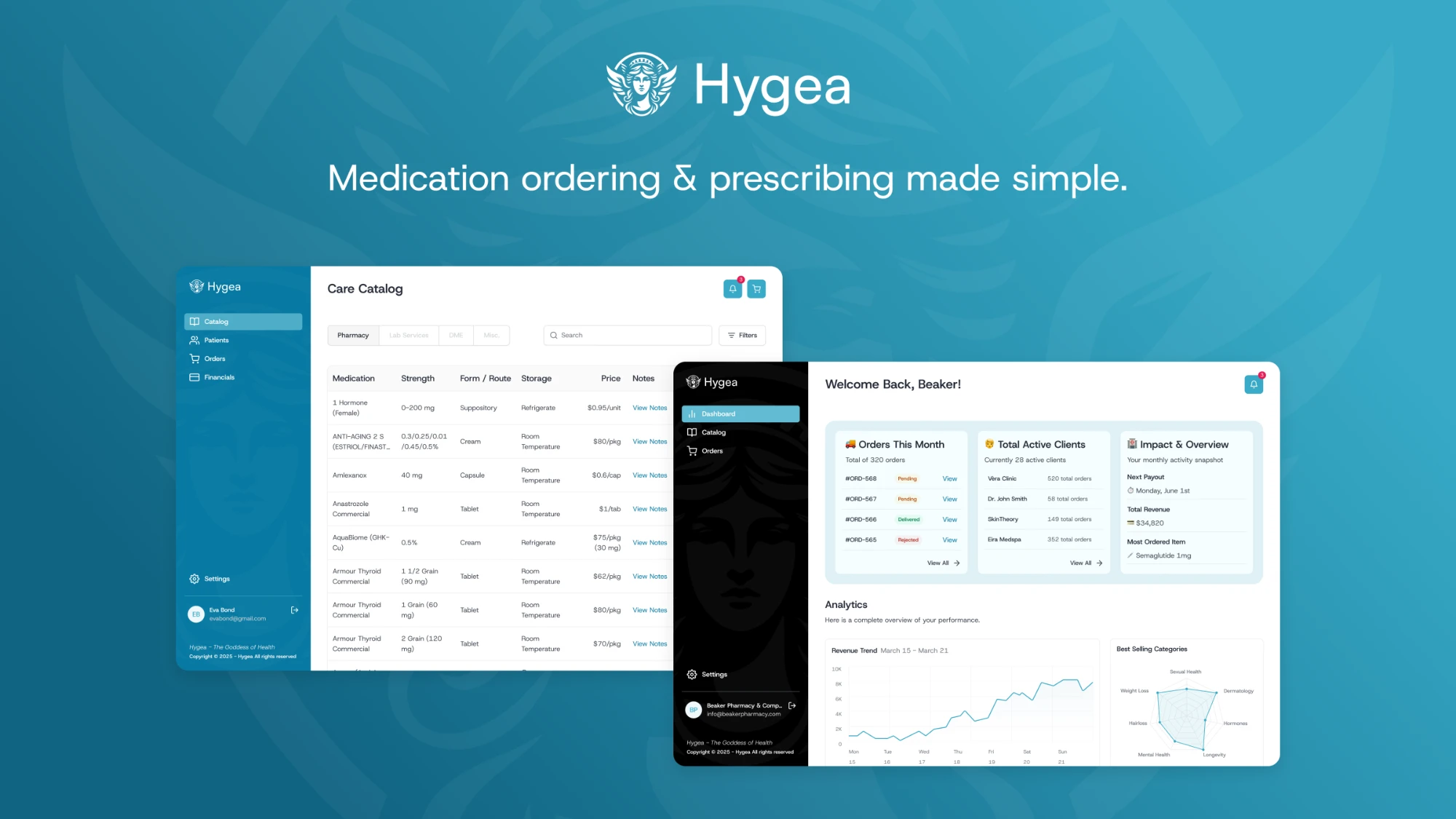
Hygea is a web-based medication ordering platform created for clinics and doctors to order medications for either patients or internal stock. The main goal was to create an intuitive and reliable tool that fits seamlessly into a clinical workflow.
My role
UX/UI Designer
I was the sole UX/UI designer responsible for building the platform from the ground up—from defining user flows and wireframes to designing the entire UI system.
Timeline
4 months
Challenges / Goals
Challenges
- There was no existing product or flow—everything had to be designed from scratch.
- The platform needed to support two use cases: ordering medication for individual patients and for clinic stock.
- Doctors and pharmacy admins needed clarity and efficiency in the ordering process to reduce errors and support their fast-paced environment.
- Stakeholders expected a solution that would scale and eventually handle thousands of medications.
Goals
- Design a clean and fast workflow for placing medication orders.
- Build two parallel flows: Order for Patients and Order for Clinic.
- Make the system scalable, accessible, and simple for non-technical users.
- Plan for future enhancements: creating prescription templates and assigning them to multiple patients.
Design system
Design system
A design system built for a clinical product: a calm Pacific Cyan brand ramp, semantic colors for statuses, Host Grotesk for clear, readable data, and a component library covering every state from focus to error.
Pacific Cyan – Brand
- 25#F5FDFF
- 50#EFF8FB
- 100#DFF1F6
- 200#A0D6E4
- 300#70C2D7
- 400#60BBD2
- 500#50B4CE
- 600#38AAC7
- 700#0779A2
- 800#116583
- 900#094054
Red
- 25#FFFBFA
- 50#FEF3F2
- 100#FEE4E2
- 200#FECDCA
- 300#FDA29B
- 400#F97066
- 500#F04438
- 600#D92D20
- 700#B42318
- 800#912018
- 900#7A271A
Yellow
- 25#FFFCF5
- 50#FFFAEB
- 100#FEF0C7
- 200#FEDF89
- 300#FEC84B
- 400#FDB022
- 500#F79009
- 600#DC6803
- 700#B54708
- 800#93370D
- 900#7A2E0E
Green
- 25#F6FEF9
- 50#ECFDF3
- 100#D1FADF
- 200#A6F4C5
- 300#6CE9A6
- 400#32D583
- 500#12B76A
- 600#039855
- 700#027A48
- 800#05603A
- 900#054F31
Rosé
- 25#FFF5F6
- 50#FFF1F3
- 100#FFE4E8
- 200#FECDD6
- 300#FEA3B4
- 400#FD6F8E
- 500#F63D68
- 600#E31B54
- 700#C01048
- 800#A11043
- 900#89123E
Host Grotesk
ABCDEFGHIJKLMNOPQRSTUVWXYZ
abcdefghijklmnopqrstuvwxyz
0123456789 !@#$%^&*()
Display lg · 48/60
HygeaRegular 400
HygeaMedium 500
HygeaSemibold 600
Display md · 36/44
HygeaRegular 400
HygeaMedium 500
HygeaSemibold 600
Display sm · 30/38
HygeaRegular 400
HygeaMedium 500
HygeaSemibold 600
Text lg · 18/28
HygeaRegular 400
HygeaMedium 500
HygeaSemibold 600
Text md · 16/24
HygeaRegular 400
HygeaMedium 500
HygeaSemibold 600
Text sm · 14/20
HygeaRegular 400
HygeaMedium 500
HygeaSemibold 600
Icons
Buttons
Dropdowns
- Phoenix Baker
- Olivia Rhye
- Lana Steiner
- Demi Wilkinson
- Phoenix Baker
- Olivia Rhye
- Lana Steiner
- Demi Wilkinson
Error message
- Phoenix Baker
- Olivia Rhye
- Lana Steiner
- Demi Wilkinson
- Phoenix Baker
- Olivia Rhye
- Lana Steiner
- Demi Wilkinson
Featured icons
Badges
Inputs
Final designs
Providers account
For clinics and doctors. Providers browse a catalog of thousands of medications, order for a patient or for clinic stock, and keep every patient’s details and order history in one place.
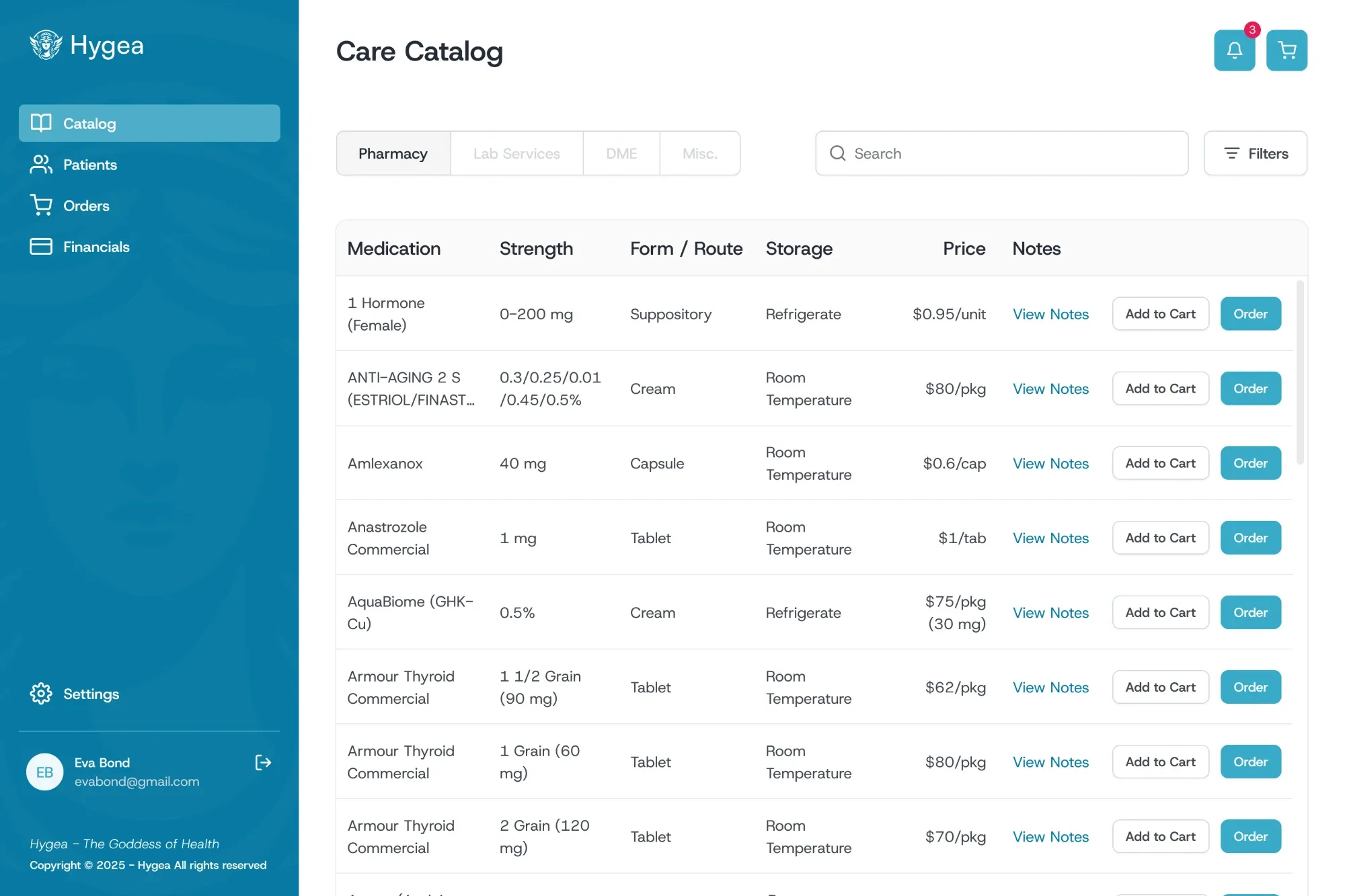
Care catalog
Providers browse the full list of available medications and narrow it down by category, form/route, pharmacy or state availability.
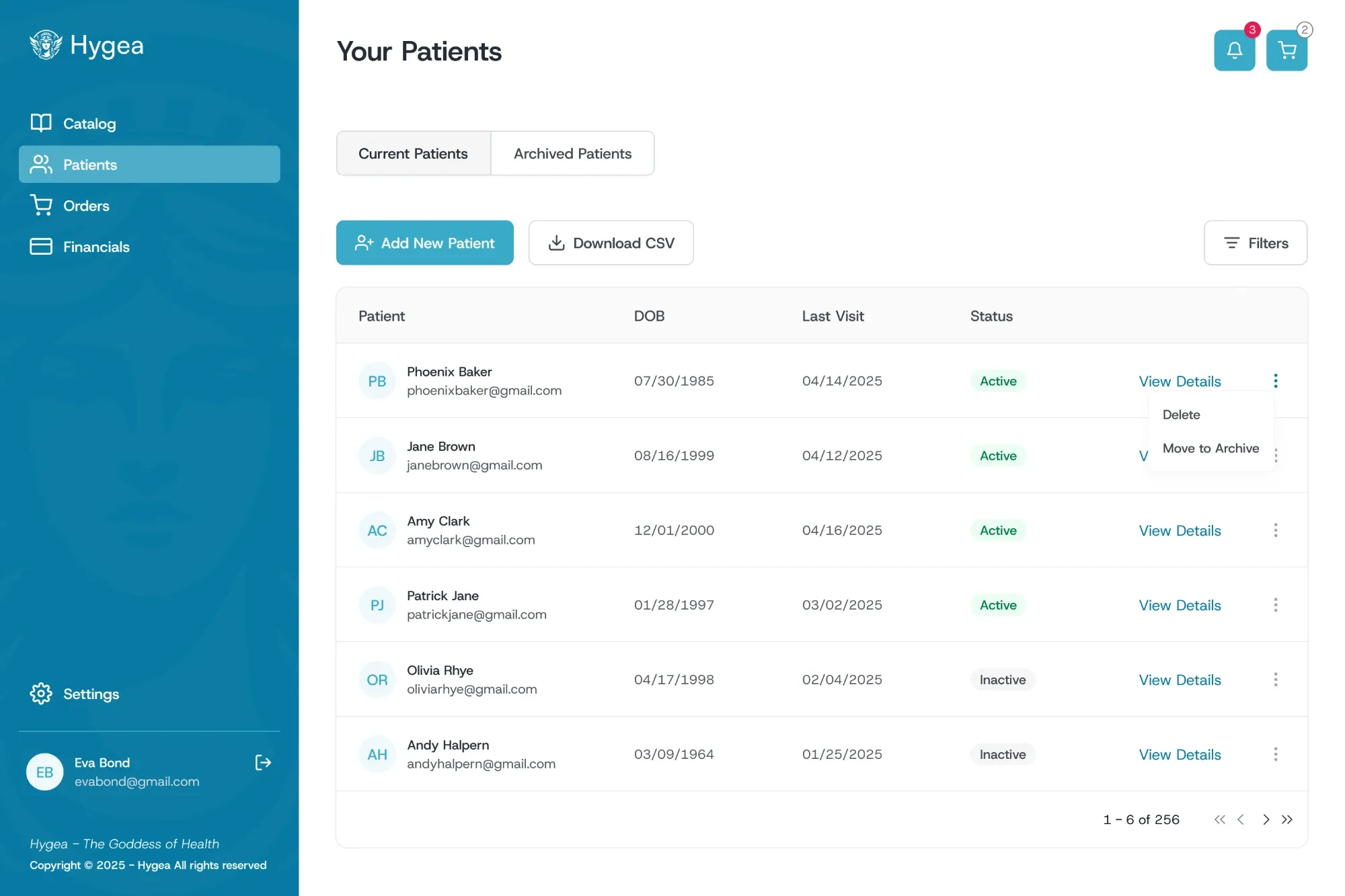
Patient management
A table of all current and archived patients, with a dedicated profile for each. Providers can add, edit, archive or delete patients.
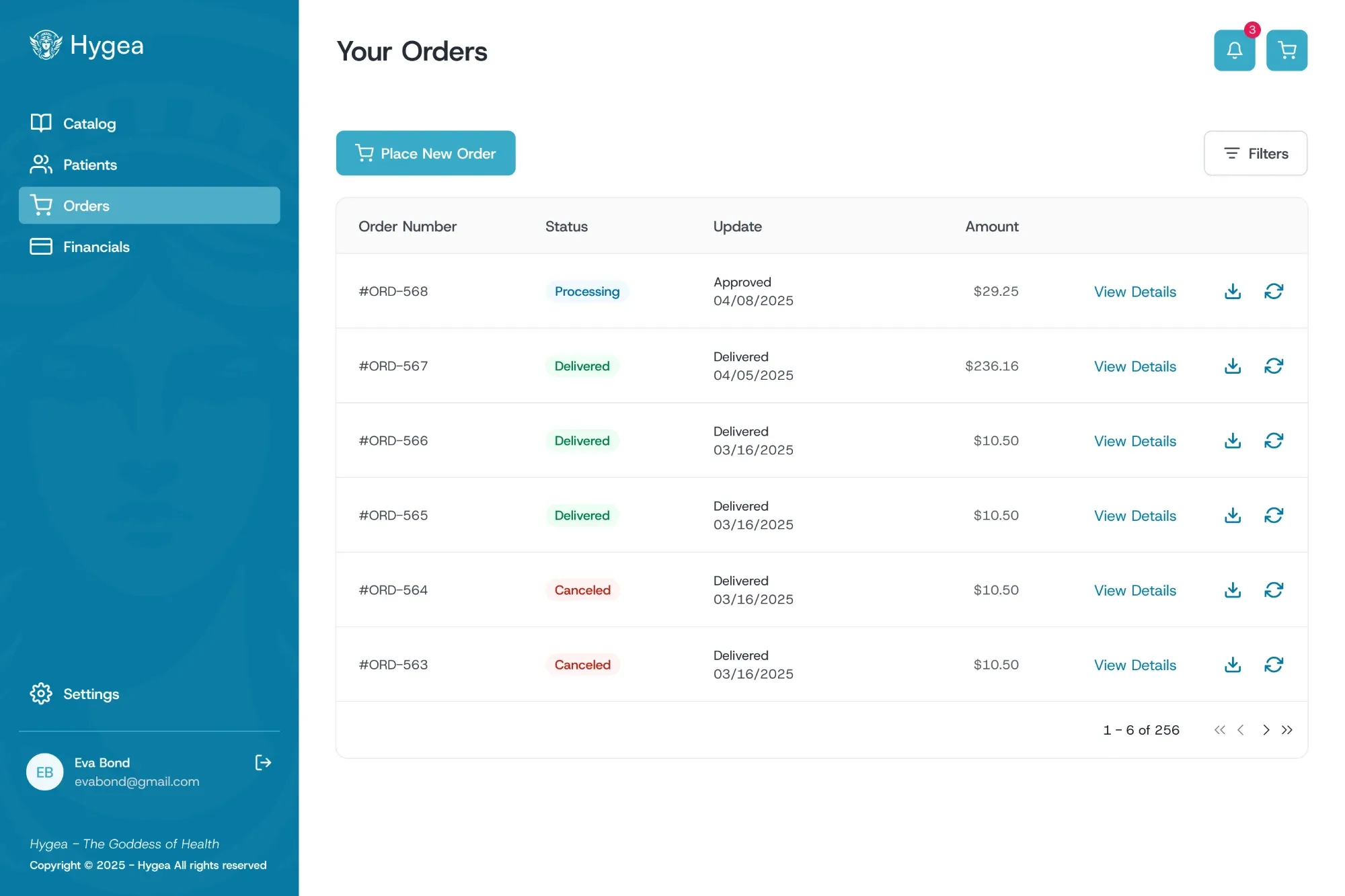
Order history
A structured table of past orders with their status, updates and details.
Suppliers account
For pharmacies. Suppliers manage their catalog, review incoming orders, and track revenue and payouts from one dashboard.
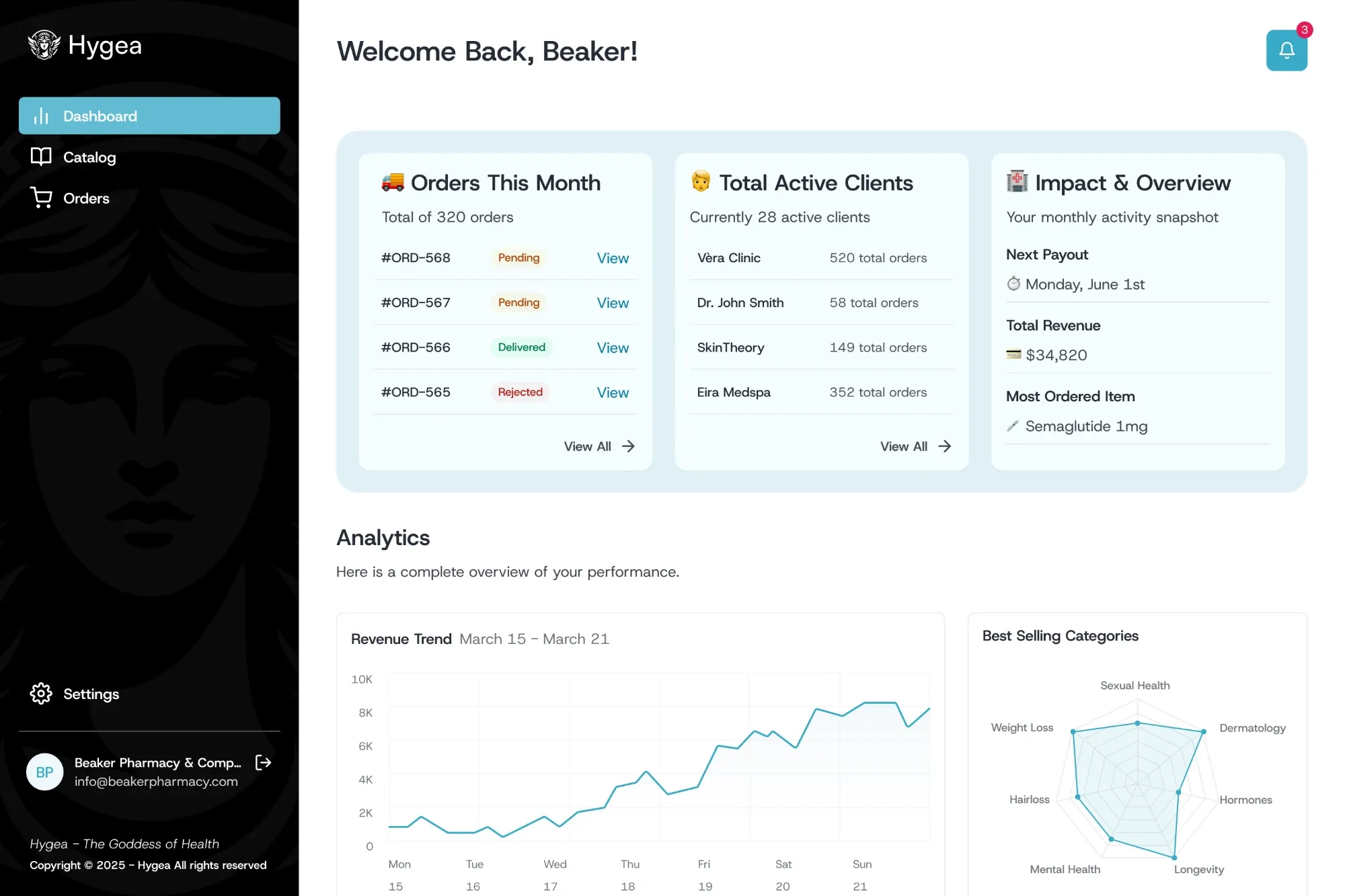
Dashboard
A centralized overview where suppliers see recent orders, top clients and impact, plus key metrics like revenue trend and best-selling categories.
Catalog and orders
The everyday work of a pharmacy on Hygea: managing the catalog, handling incoming orders, and keeping the pharmacy profile up to date.
Catalog management
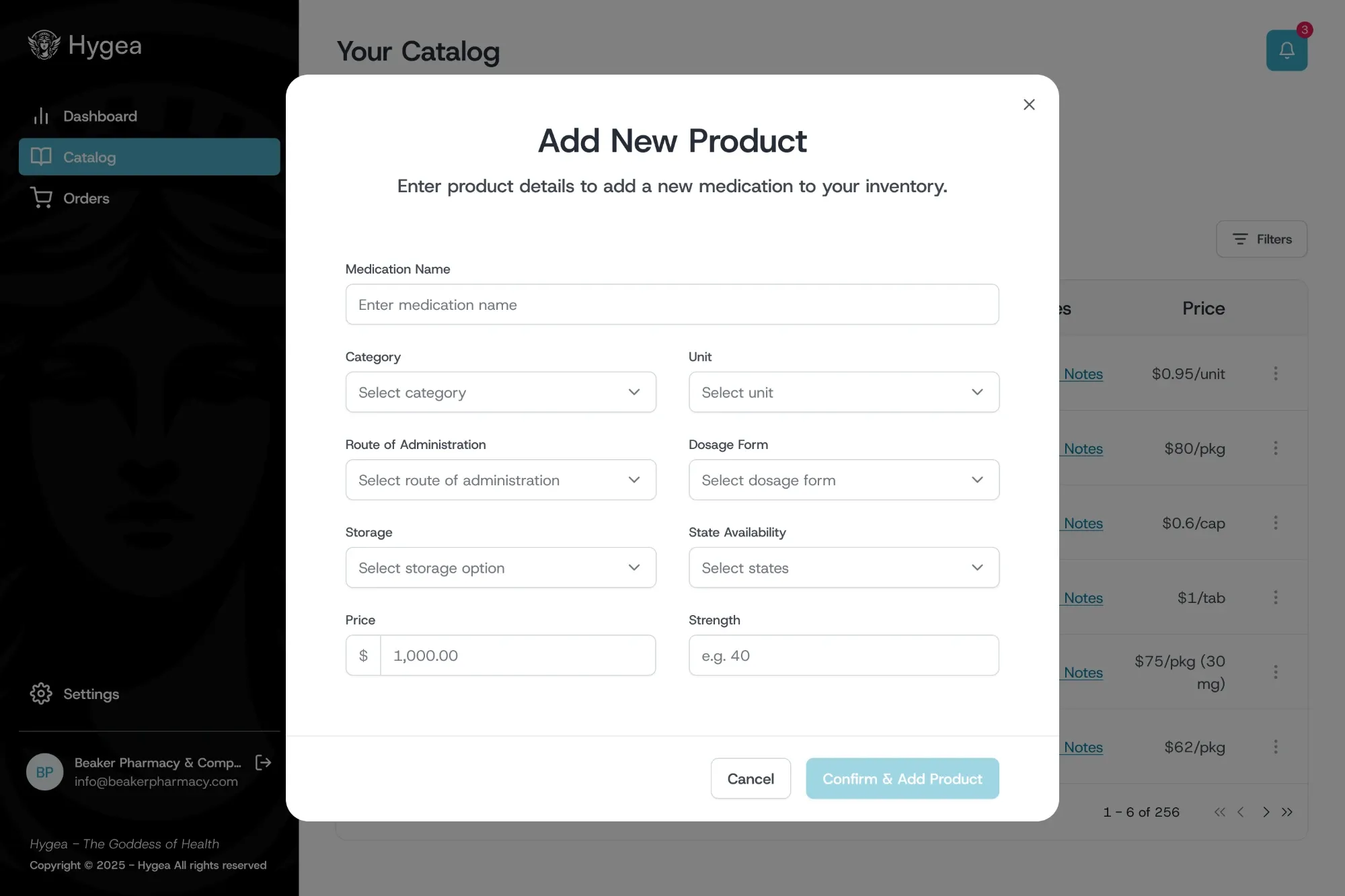
Suppliers can add, edit, publish and delete products in their live catalog or catalog draft, both individually and in bulk.
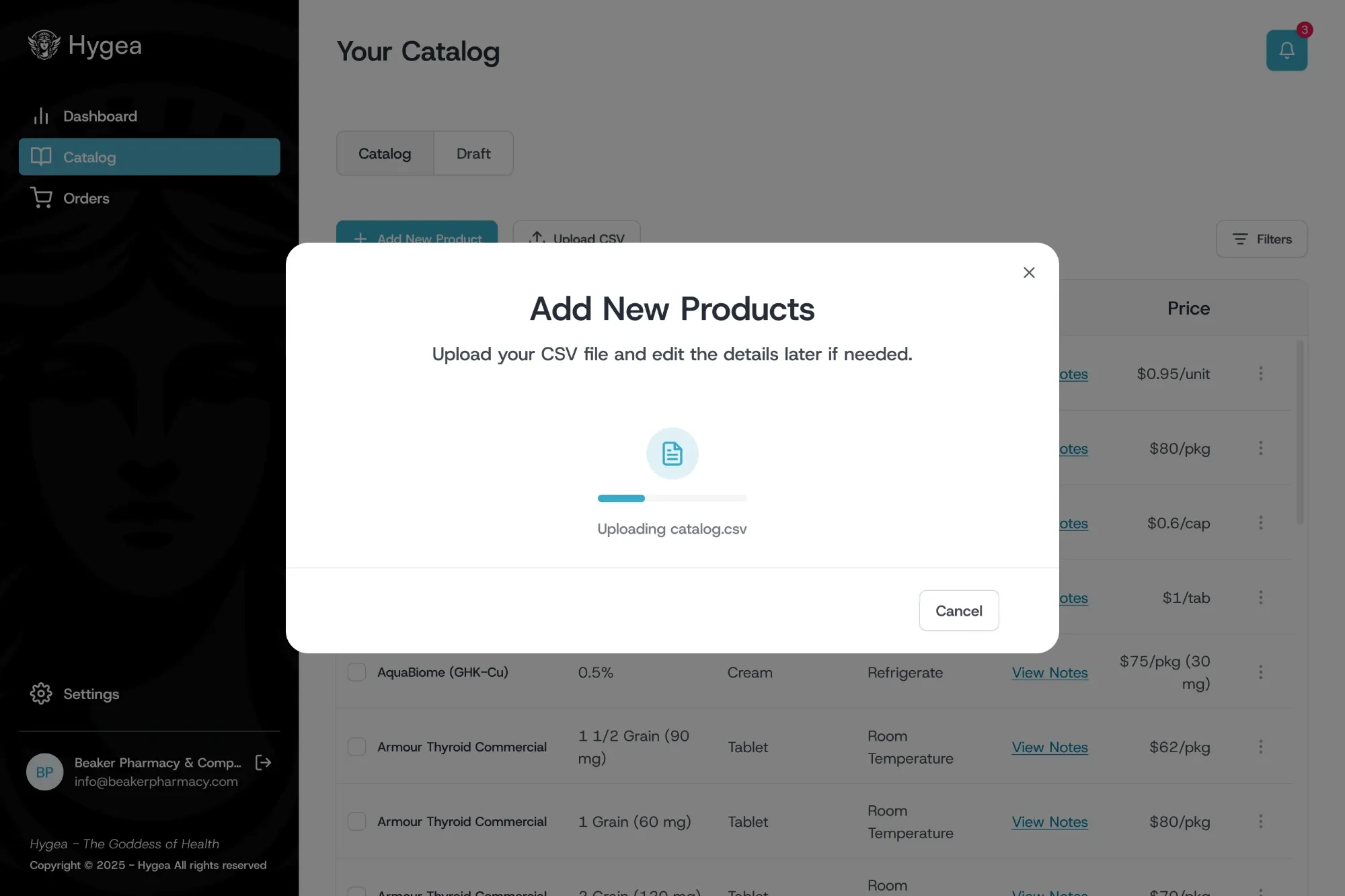
Bulk upload
Pharmacies with large inventories upload their catalog as a CSV and edit any product afterwards.
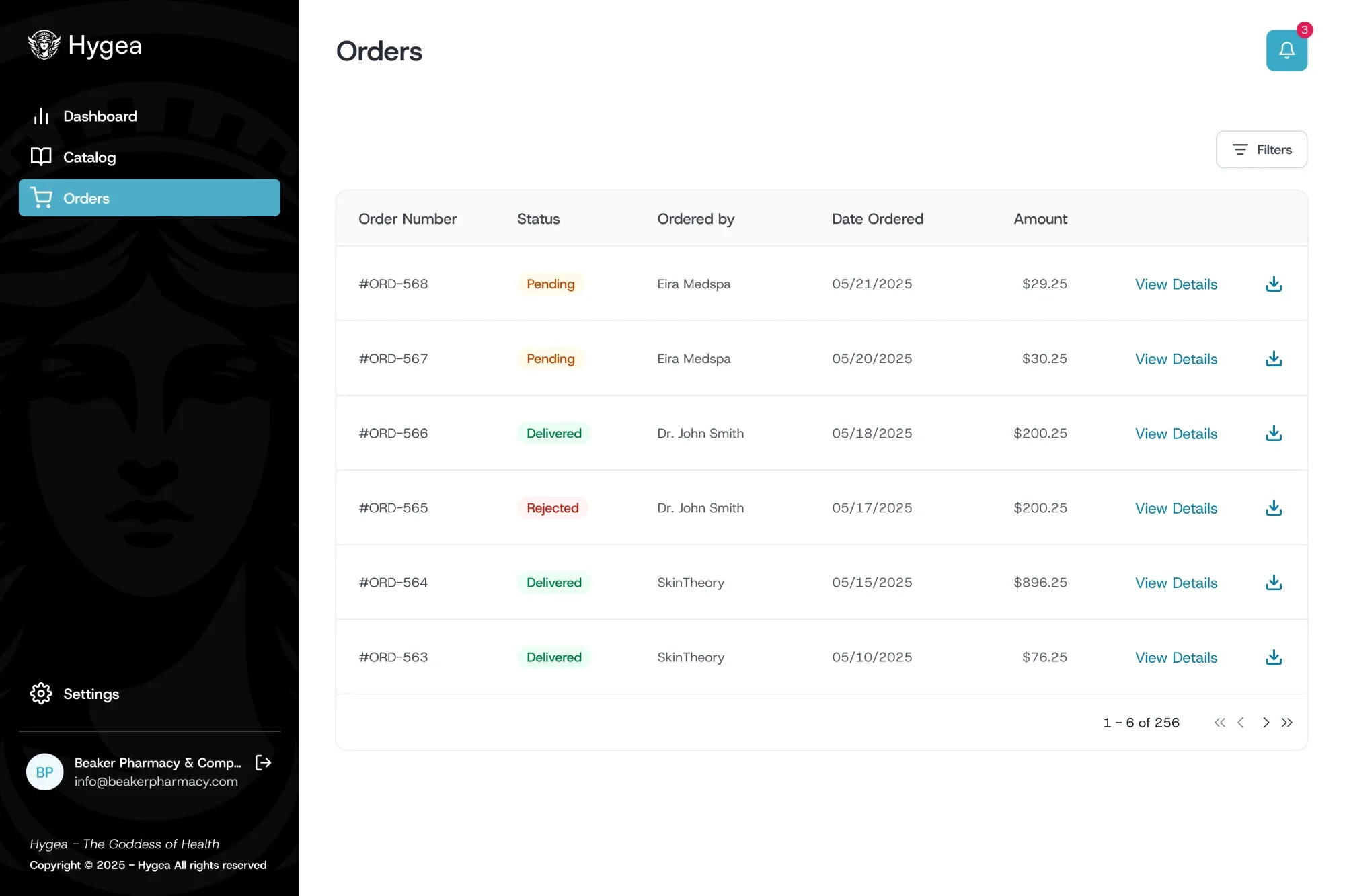
Orders management
A table of all orders from providers, with filters by status, date ordered and provider. Each order can be expanded for full details, then approved or rejected.
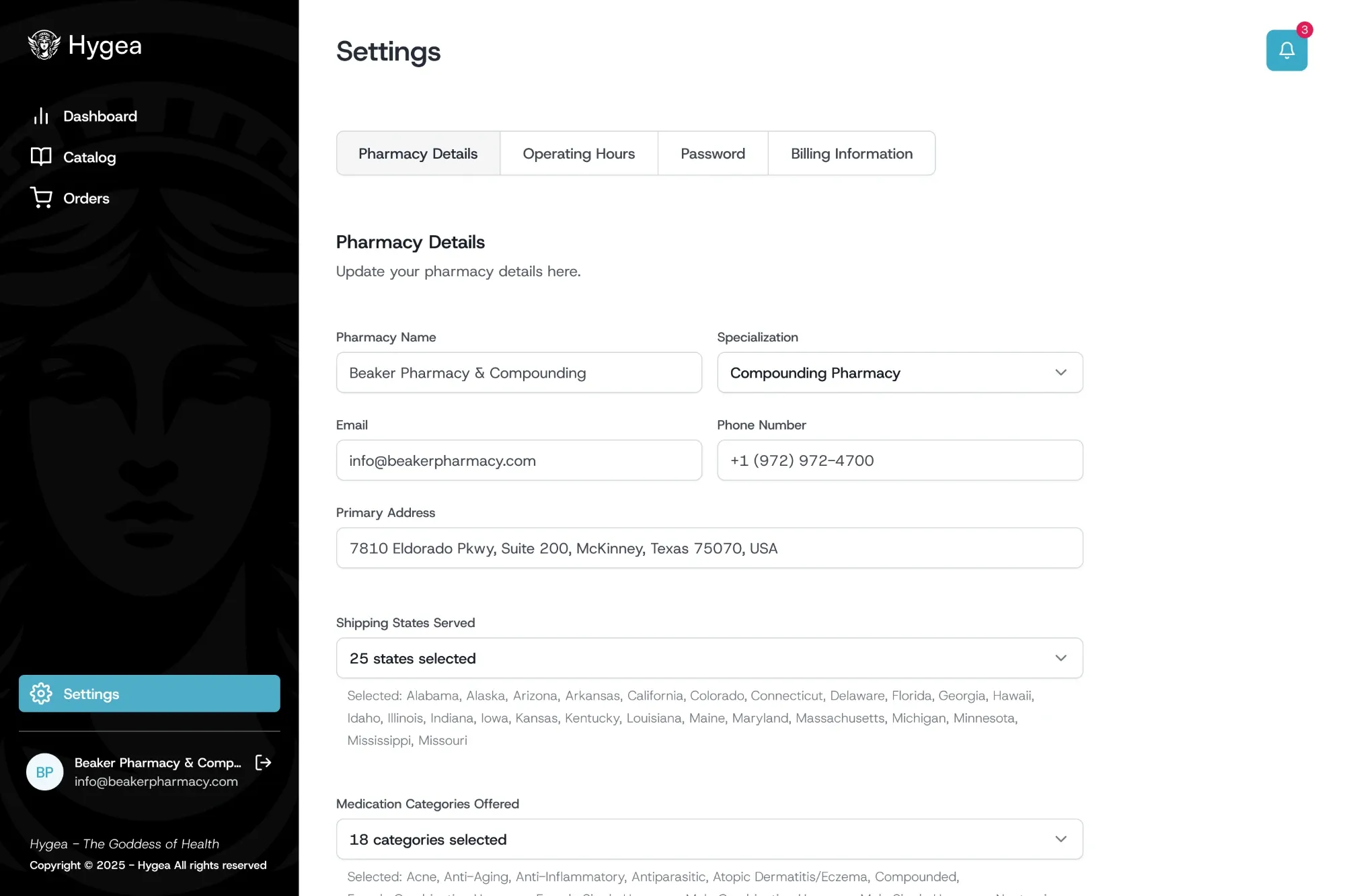
Pharmacy settings
Pharmacy details, operating hours, password and billing each have their own tab. Shipping states and medication categories define where the pharmacy delivers and what it offers.